
What question types can I use?
Don't have the app yet? Add 123 Polls & Surveys to Microsoft Teams. Already have it? Open it in Teams.
123 Polls & Surveys has eleven question types. Pick one under Question type when you build a poll, and mix as many as you like in one survey.
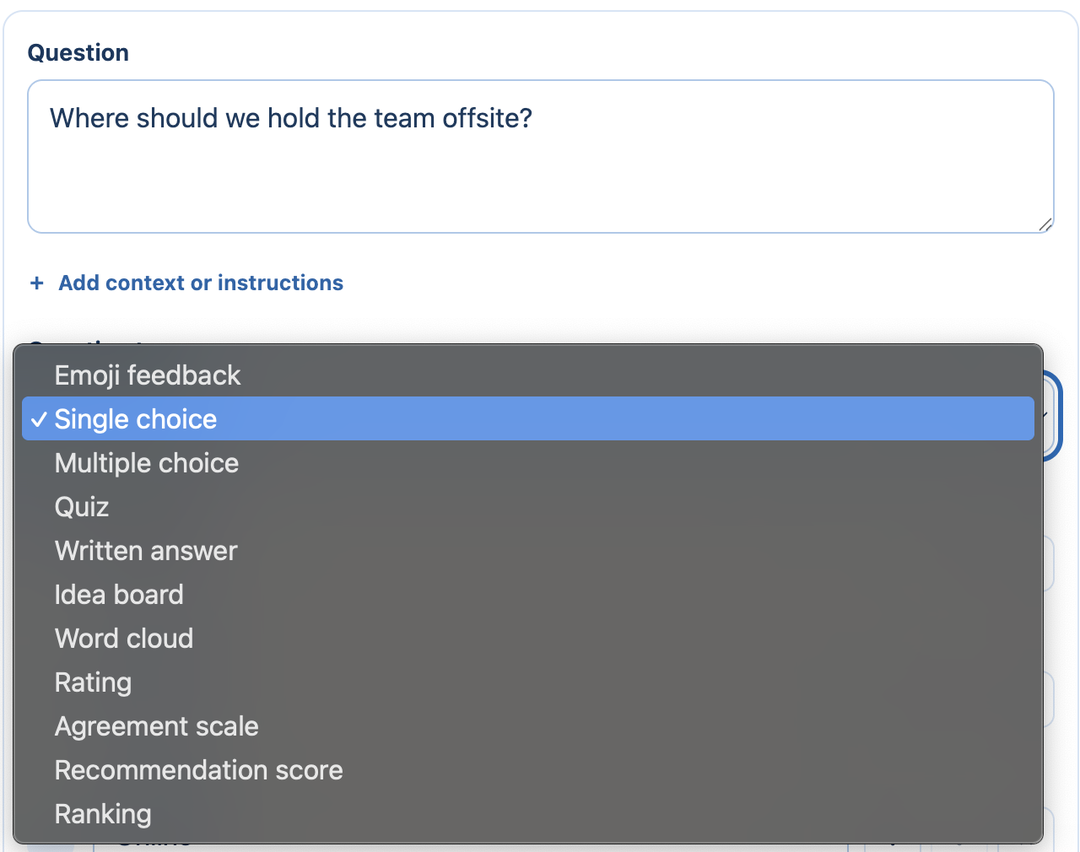
| Type | Good for | Options |
|---|---|---|
| Emoji feedback | A quick yes, no or emoji reaction | |
| Single choice | Votes and decisions: one answer each | Shuffle answers |
| Multiple choice | "Pick all that apply" | Fewest and most answers allowed, an "Other" answer |
| Quiz | Checking what people know | One or more correct answers, an explanation, points. See quizzes |
| Written answer | A short typed reply | Minimum and maximum characters |
| Idea board | Collecting ideas or questions you choose to show | Approve answers before others see them. See reviewing answers |
| Word cloud | A one-word or short-phrase check-in | Answers up to 40 characters. See word clouds |
| Rating | "How useful was this?" | 2 to 5 levels; stars, numbers, thumbs up, smiley faces, hearts, checkmarks, trophies, flags, light bulbs or ribbons; labels for each end |
| Agreement scale | "Strongly disagree" to "Strongly agree" | Optional "Not applicable" |
| Recommendation score | "How likely are you to recommend this?" on a 0 to 10 scale | Labels for each end |
| Ranking | Putting 2 to 10 items in order | Require a complete ranking |
Every question can be Required or optional, and can have an image. See adding images.
Changing type
You can change a question's type at any time before you run it. Answers you've already typed carry over between the choice types.
Still stuck? Send us a message and our team will help.