
Break timer for a Microsoft Teams meeting
Put a break countdown on the meeting screen and people come back on time, without anyone watching the clock for them. Teams' own timer shows only to presenters, so attendees on a break can't see when to return. 123 Timer shares the countdown to everyone.
Set up a break timer
- Open 123 Timer in your meeting. If it isn't there yet, click More, then Get more apps and agents, and add 123 Timer and Clock by BlueSky.
- Choose Simple Timer from the menu at the top left and make sure Count Direction is Count Down.
- Set the break length in Count Time, or click 5 min, 10 min or 15 min.
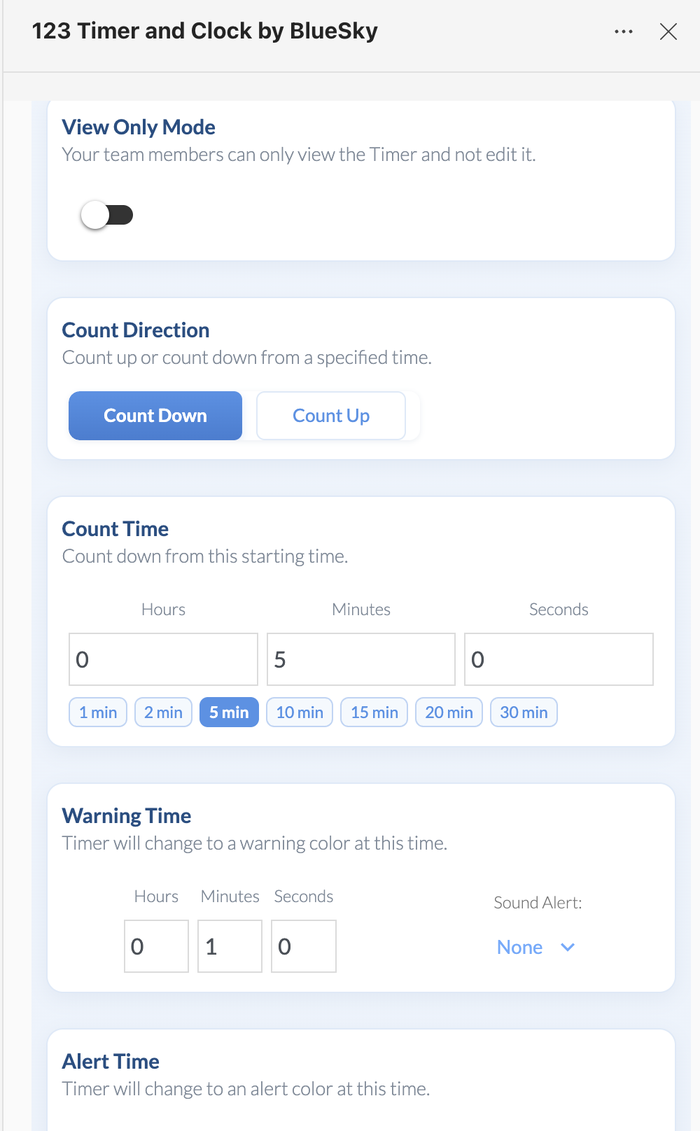 The quick buttons set a break length in one click.
- Set Warning Time to a minute or two. The timer changes color then, so people know to head back. Add a Sound Alert if you like.
- Under After Timer Count Ends, choose what happens at zero. Keep Counting shows negative seconds, which is a gentle way to show how late everyone is.
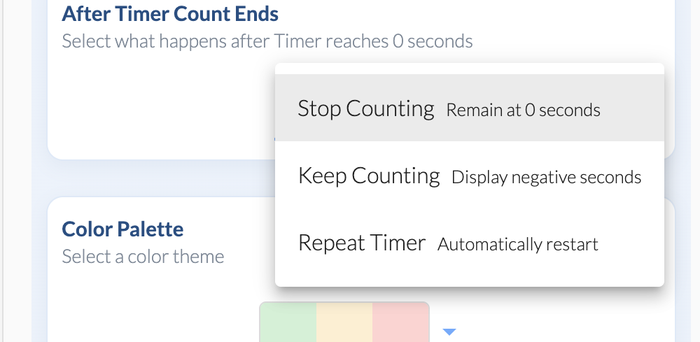 Keep Counting shows how far past the break you are.
- Click Share Timer Display, then Start Timer.
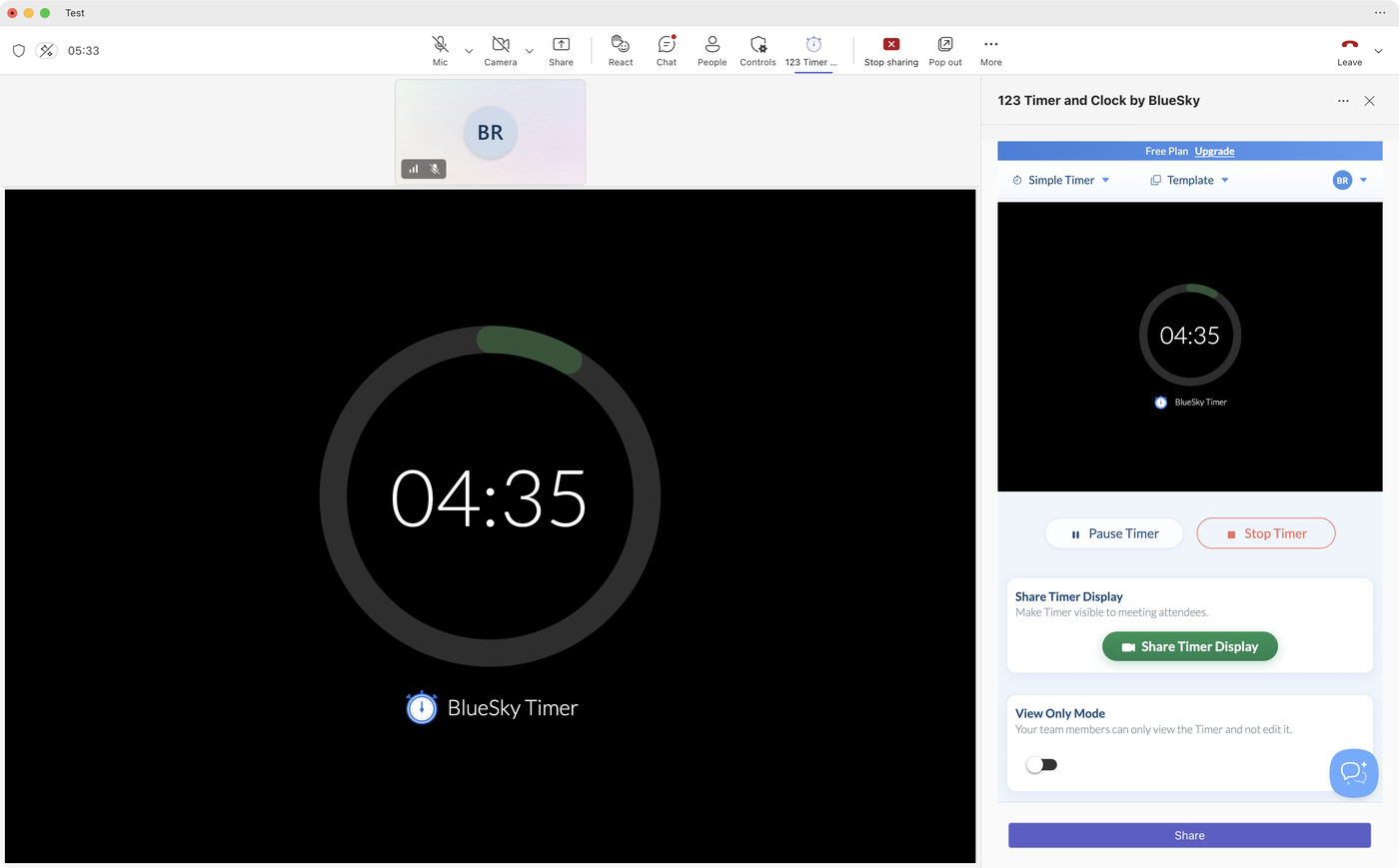 Everyone sees the countdown, attendees included.
 The quick buttons set a break length in one click.
 Keep Counting shows how far past the break you are.
 Everyone sees the countdown, attendees included.
Make it look like a break
A different look tells people at a glance that it's break time. Try another Timer Style, such as Hourglass, or switch the Display Theme. On Pro, or during the free trial, Custom Branding with Display only when timer is stopped shows your own image (a "back soon" slide, say) until you start the countdown. See Add your logo or a background image to a Teams meeting timer.
Regular breaks in long sessions
For work-and-break cycles, Repeat Timer under After Timer Count Ends starts the countdown again by itself after a Wait time you choose. Save the setup as a template called "Break" so it's one click away next time: Save timer and agenda templates.
Questions people ask
Can attendees see a break timer in Teams?
Yes. Add 123 Timer, set the time and click Share Timer Display. It shows on the meeting screen for everyone.
Can I use Teams' built-in timer for a break?
You can, but it's Microsoft's basic countdown under More in a meeting. It runs up to 100 minutes and only presenters see it.
Can I put breaks into an agenda?
Yes. Add the break as an item in an Agenda Timer and it counts down in its place. See Add an agenda timer to a Microsoft Teams meeting.
First time adding a timer? How to add a timer to a Microsoft Teams meeting takes about a minute.
Still stuck? Send us a message and our team will help.