
How to use poll templates and your Poll library
Don't have the app yet? Add 123 Polls & Surveys to Microsoft Teams. Already have it? Open your Poll library in Teams.
123 Polls & Surveys comes with ready-made templates for common meeting questions, and you can save your own polls in your Poll library to run again in any meeting.
Built-in templates
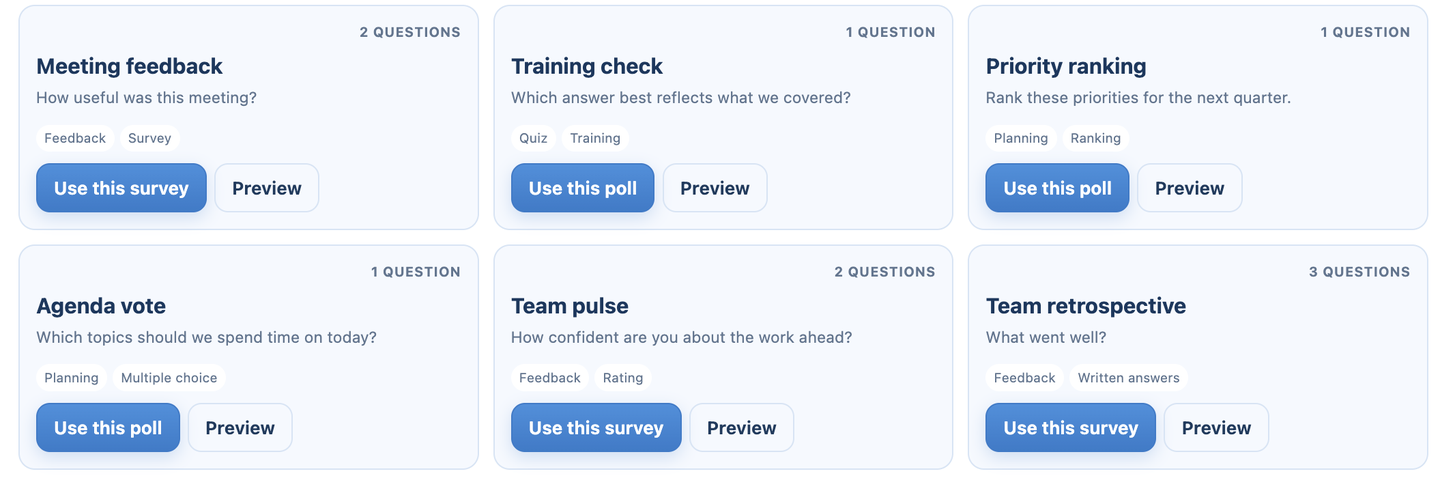
On New poll or survey, under Start with a template, you'll see a few templates and a search box. Click More for all of them:
- Fast decision: which option should we move forward with?
- Meeting feedback: how useful was this meeting, and what should we improve?
- Training check: a quiz question on what you covered
- Priority ranking: rank priorities for the next quarter
- Agenda vote: which topics to spend time on today
- Team pulse: how confident people feel about the work ahead, and what would help
- Team retrospective: what went well, what to change, what to try next
- Icebreaker: a word cloud of how people are arriving today
- Confidence check: how confident people are in a proposed direction
- Open questions: a word cloud of topics to clarify before moving on
Each card shows the first question and its answer style. Choosing one makes a copy you can edit before you run it.
Your own templates
Polls you create in your Poll library are saved for reuse, and they appear first under Start with a template in every meeting.
- Open your Poll library.
- Build the poll or survey, or import it from a CSV file.
- In any meeting, click Add poll and pick it under Start with a template.
To run a poll from a past meeting again, open it and click More actions, then Run again or Edit a copy. Either way it starts with no responses.
Shared with me
When someone adds you as a collaborator on a poll, it appears in your Poll library under Shared with me. See co-organizers and presenters.
Still stuck? Send us a message and our team will help.