
What data does Polls, Surveys & Forms keep, and how do I delete it?
Don't have the app yet? Add Polls, Surveys & Forms to Zoom. It's free to start. Already have it? Open it in Zoom.
Your polls and their results are yours, and they stay until you delete them. Nothing expires on its own, and removing the app from Zoom doesn't delete anything, so you can come back to old results whenever you need them.
What's stored
-
The polls and surveys you write and save.
-
The answers people give.
-
Names with answers, only when you chose Poll creator and hosts or People viewing results. With No names, only the answers are saved.
Who can see it
Results are seen by the poll's creator, the meeting's host and co-hosts, and participants only when your Show results setting allows it. Names follow the setting you chose: see anonymous or named polls.
Delete a poll's results
-
Open the Results tab.
-
Under Past results, find the poll and click Delete. If it's still open, close it first.
-
Confirm. The app asks: "Delete this poll and its results permanently?"
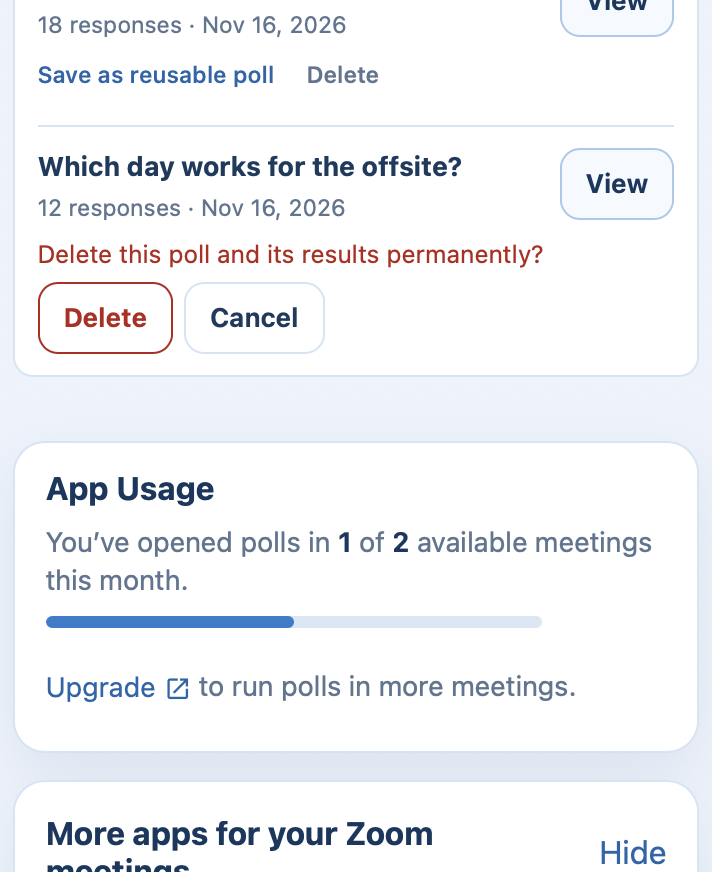 Past results asking you to confirm before a poll and its results are deleted for good.
 Past results asking you to confirm before a poll and its results are deleted for good.
This can't be undone. Download the CSV first if you might want the numbers.
Delete a saved poll
On the Create tab, under Saved polls, click Delete beside it and confirm. This removes your reusable copy. Results from times you ran it stay under Past results.
Delete everything
Deleting your BlueSky account deletes your saved polls, the polls you ran and their responses.
-
Sign in at blueskyapps.org and open your My Account page.
-
Under Danger Zone, click Delete my account.
If you have a subscription that's active or paused, you won't see the button. Cancel the subscription first, or send us a message and we'll help.
Answers you gave in other people's polls belong to those polls and stay with them.
More
Our Privacy Policy has the full detail.
Still stuck? Send us a message and our team will help.