
How to invite people to answer a Zoom poll, or share a voting link
Don't have the app yet? Add Polls, Surveys & Forms to Zoom. It's free to start. Already have it? Open it in Zoom.
There are two ways, and you can use both on the same poll. Invite in Zoom sends the poll to people in the meeting, and Copy voting link gives you a link anyone can answer from in a web browser. Nobody answering needs an account.
Invite the meeting
-
Open your poll. (New here? Create a poll.)
-
Under Share this poll, click Invite in Zoom.
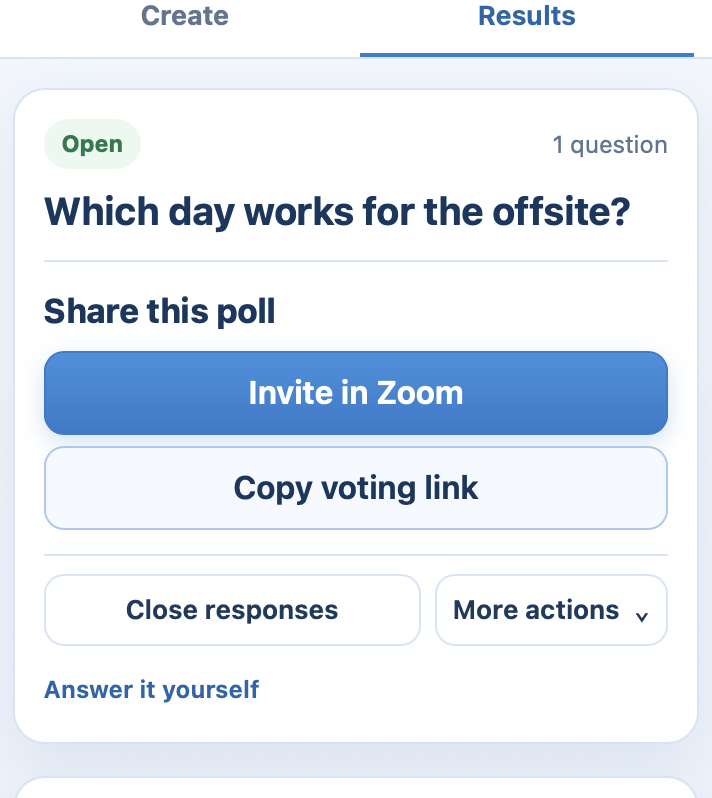 Share this poll on an open poll, with Invite in Zoom ringed.
-
People using the Zoom desktop or mobile app get an invitation from Zoom. They click Open to answer beside the meeting. The first time you invite, Zoom asks you to allow the app to send invitations: click Allow.
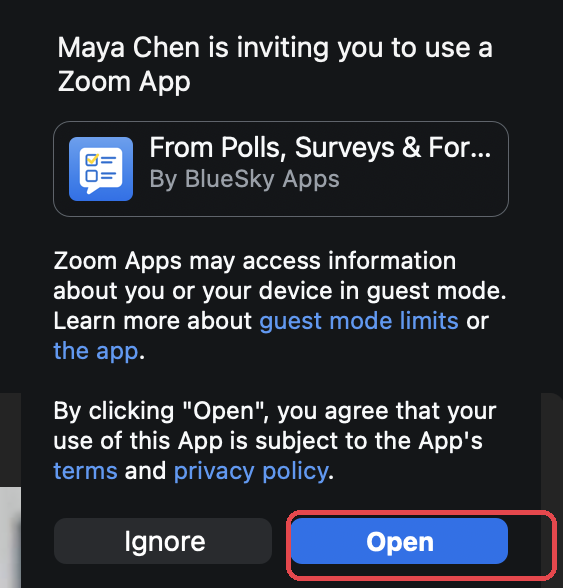 The invitation a participant sees in Zoom, with Open ringed.
 Share this poll on an open poll, with Invite in Zoom ringed.
 The invitation a participant sees in Zoom, with Open ringed.
If you don't see Invite in Zoom, your version of Zoom doesn't offer invitations here. Use the voting link.
Share a voting link
-
Under Share this poll, click Copy voting link.
-
Paste it in the Zoom chat, or anywhere else you talk to your group.
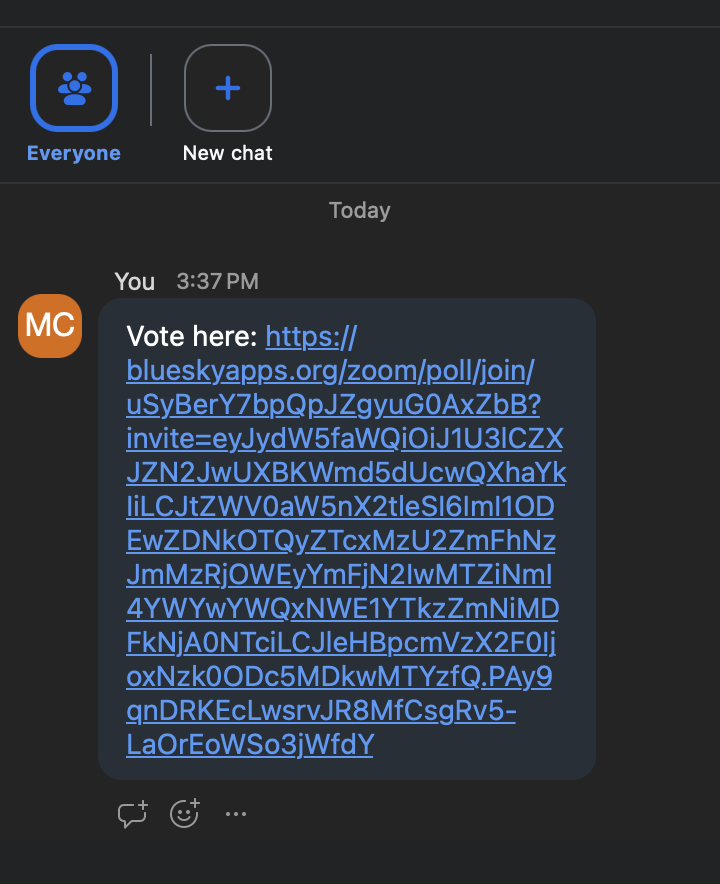 A short voting link pasted into the Zoom meeting chat, ready for anyone to tap.
-
People open it in a browser and answer. Nothing to install.
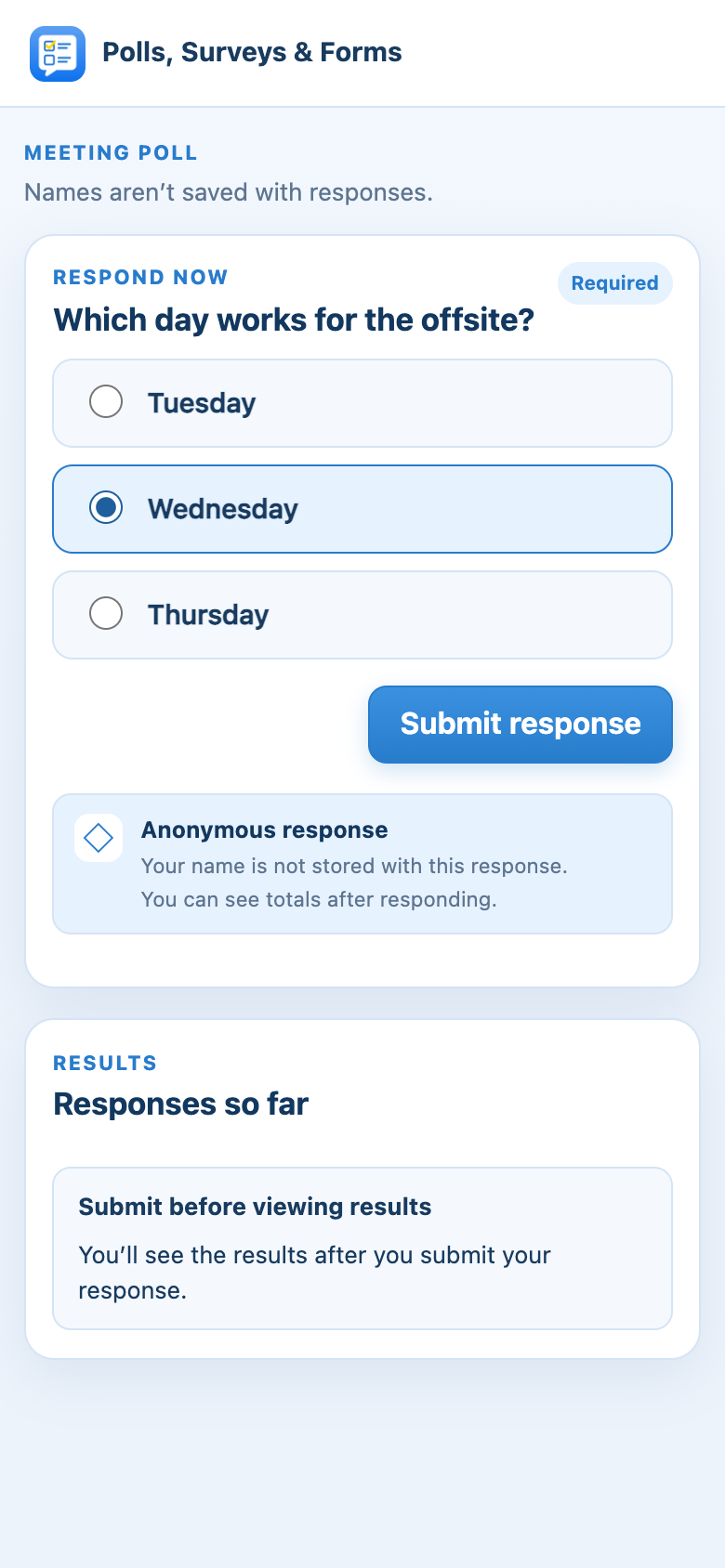 The poll open in a phone browser, with an answer chosen and ready to submit.
 A short voting link pasted into the Zoom meeting chat, ready for anyone to tap.
 The poll open in a phone browser, with an answer chosen and ready to submit.
Use the link for anyone who joined the meeting from a browser, since they can't open Zoom apps.
Good to know
-
Voting links are short (they start
blueskyapps.org/zp/) and work for two hours from when you copy them. Need longer? Copy it again for a fresh one. -
Anyone who has the link can answer, so share it only with the people you want to hear from.
-
If your poll shows names, people in Zoom answer under their Zoom name. People using the link type the name to show with their answers.
-
When you close the poll, the link stops taking answers.
-
If the meeting ends with the poll still open, the link keeps working until it expires. To stop it sooner, open Results, find the poll under Past results, click View, then Close responses.
Still stuck? Send us a message and our team will help.