
Show your pronouns, title or company under your name in Zoom
With Overlays, the line under your name on your video says whatever you type: your pronouns, your job title, your company, or all three. Type it in Title or Description, and everyone who can see your video sees it.
The card has two lines: Name on top and Title or Description under it. Both are free text, and both are free on every plan.
Before you start
- Add Overlays to your Zoom account if you haven't yet. You don't need to be the host or a co-host.
- Turn your camera on. The card is drawn on your camera video.
Write the line under your name
- In the meeting toolbar, click More, then Apps. If your toolbar already shows an Apps button, click that.
- Click Overlays in your list of apps. If it isn't there, add Overlays to Zoom first. If Zoom asks for permission, click Allow. The first time, a welcome message appears: click Let's go.
- Under Profile Details, click in Title or Description and type the line you want. If your Zoom profile has a job title, Overlays has already put it there, so add to it or type over it.
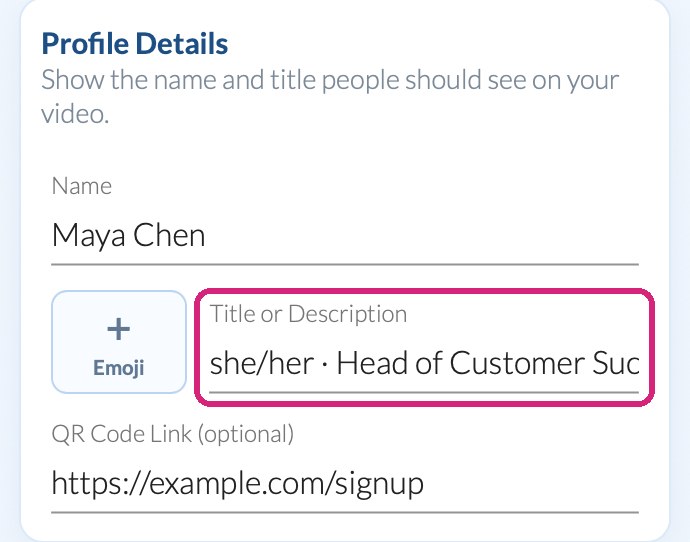 Whatever you type here is the second line on your card.
- Look at your own video: the line changes a moment after you stop typing. There's no Save button, and your next meeting starts with the same line.
 Whatever you type here is the second line on your card.
Ways people write it
- Pronouns with a title: "she/her · Head of Customer Success" or "she/her | Head of Customer Success".
- Title and company: "Head of Customer Success, Juniper Lane".
- Pronouns after your name instead: type them in Name, as in "Maya Chen (she/her)", and keep the second line for your title.
If a line runs long, try another style under Select Overlay Style: each preview shows your own text, so you can see which fits.
Add an emoji to the line
- Click Emoji, beside Title or Description.
- Search for an emoji, or scroll, and click one. It goes at the start of the line, before your text.
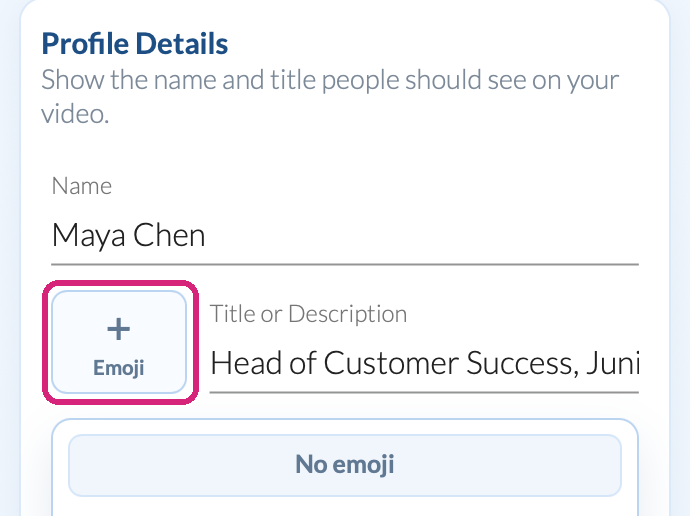 The emoji you pick goes in front of the line under your name.
 The emoji you pick goes in front of the line under your name.
To take it off, click Emoji again and click No emoji.
What people in your meeting see
Everyone who can see your video sees your name and the line under it, and they don't need Overlays to see it. It's on your video only: other people's video stays as it is.
 Your pronouns and title sit under your name on your own video.
Questions people ask
Can I change the font or color of the line?
Yes, with a paid plan or the free trial: Title Font and Title Background under Advanced. On the Free plan, pick another style instead. See Change the font, colors and size of your Zoom name overlay.
Can I keep a different title for each client?
Yes. Save each one as a template: see Save a Zoom name overlay for each role or client.
Still stuck? Send us a message and our team will help.