
I can't find Polls, Surveys & Forms in my Zoom meeting
Don't have the app yet? Add Polls, Surveys & Forms to Zoom. It's free to start. Already have it? Open it in Zoom.
It's usually one of five things, and the first two fix most cases. Work down the list.
1. Is the app added to your Zoom account?
Click Add Polls, Surveys & Forms to Zoom. If Zoom offers Add (or Add for others), it wasn't installed yet. Add it with the same Zoom account you use for meetings.
2. Are you in a meeting, in the Zoom app?
Click Apps (or More > Apps) in the meeting toolbar and choose Polls, Surveys & Forms.
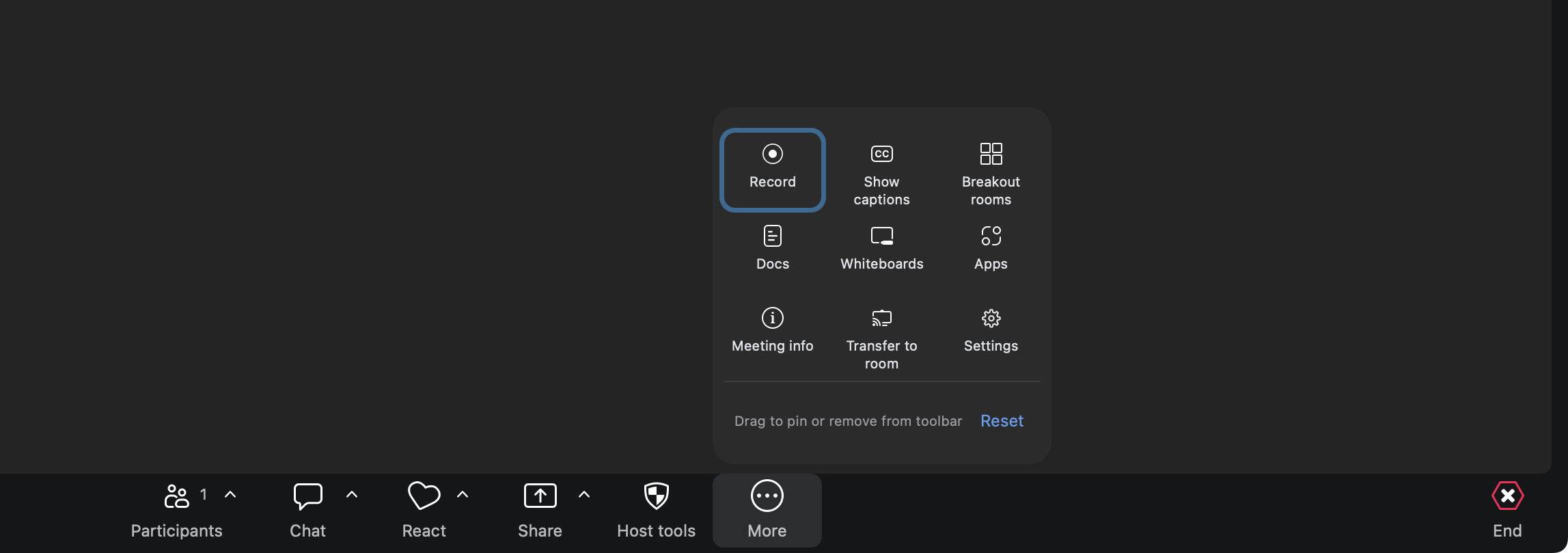 The Zoom meeting toolbar, with Apps ringed.
If you joined from a web browser, Zoom doesn't show apps. Join from the Zoom desktop or mobile app instead.
If the app says "Open a Zoom meeting first", you've opened it outside a meeting. You can write and save polls there, but opening one needs a meeting.
3. Is Zoom up to date?
Apps need a recent version of Zoom. In the Zoom desktop app, click your profile picture, then Check for updates.
 The Zoom desktop profile menu, with Check for updates ringed.
4. Does your Zoom account allow apps?
On a work or school account, an admin may need to approve apps first. If the Marketplace says your Zoom admin has to approve the app, send the request it offers, or ask your admin to approve Polls, Surveys & Forms by BlueSky Apps. We're happy to answer your IT team's questions.
5. Does the app say "Reconnect to this meeting"?
Click Reconnect. If that doesn't work, close the app's panel and open it again from Apps.
Still stuck? Send us a message and our team will help.