
Teams timer not showing? Why the built-in timer is missing, and what to use instead
Usually it's the kind of meeting or who's looking. Teams' built-in timer works in meetings but not in calls, webinars or town halls, and it only shows to people with presenter capabilities, so attendees never see it.
 Teams' timer is the bar across the top; 123 Timer opens in the side panel.
Why Teams' timer isn't there
- You're in a call, a webinar or a town hall. Microsoft doesn't support its timer in those.
- The people who can't see it joined as attendees. Microsoft shows the timer to participants with presenter capabilities only.
- You need more than 100 minutes. The built-in timer can't be set any longer.
To check the details, see Microsoft's Add a timer to Teams meetings.
A timer everyone can see
123 Timer shares your timer to the meeting screen, so attendees see it too. It also counts up, runs an agenda and shows a clock.
- In the meeting, click More, then Get more apps and agents. Search for "123 Timer", choose 123 Timer and Clock by BlueSky and click Save.
- Set your time in the side panel and click Start Timer.
- Click Share Timer Display.
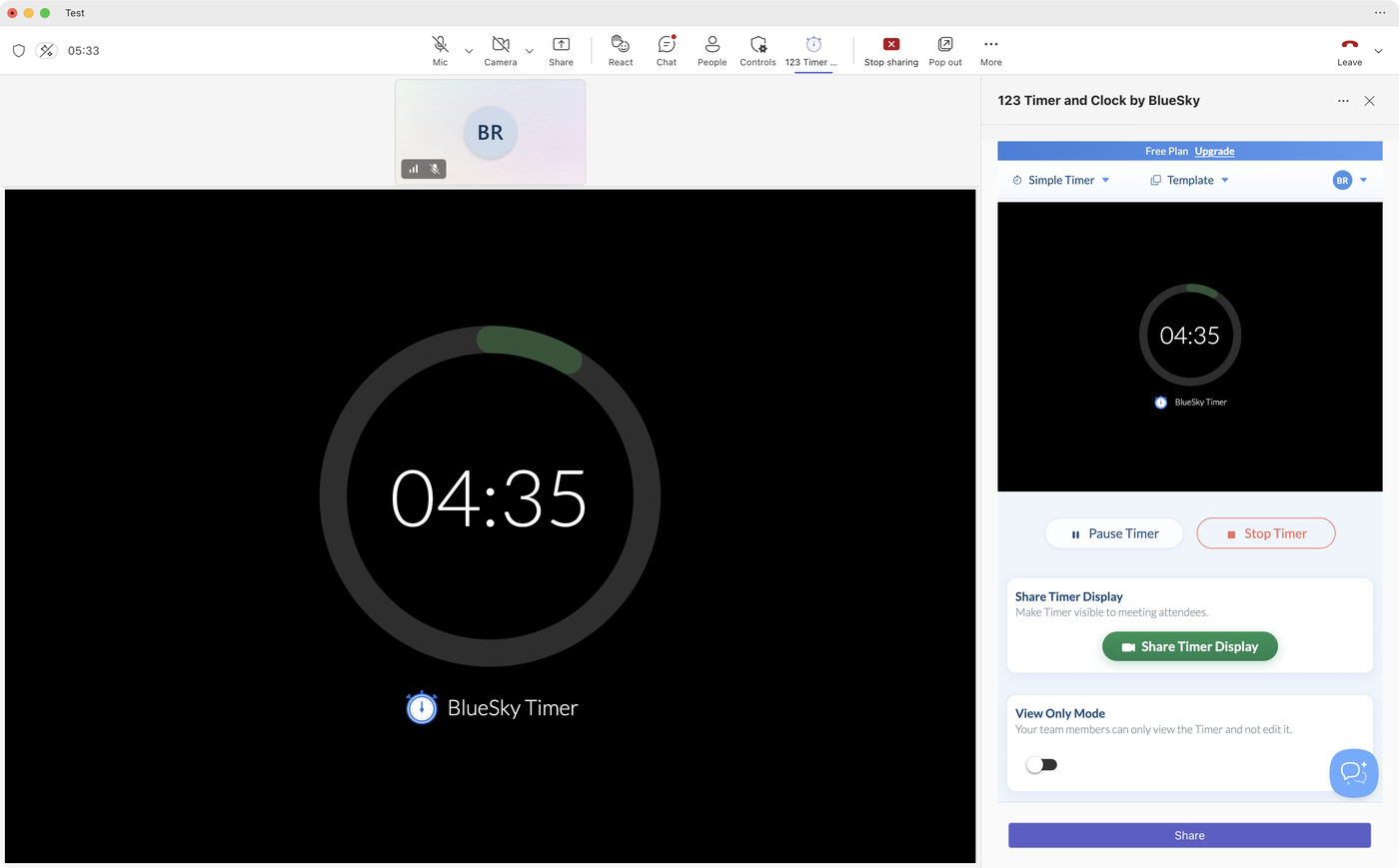 A shared timer fills the meeting screen for everyone.
 A shared timer fills the meeting screen for everyone.
The full walk-through, with every step pictured, is in How to add a timer to a Microsoft Teams meeting.
123 Timer isn't showing either?
- Check it's installed: open it in Teams. If Teams offers Add, click it.
- Installing doesn't add it to every meeting. Add it to this one from More, then Get more apps and agents. After that it has its own button in the meeting toolbar.
- Only the organizer and presenters can add apps to a meeting. If you're an attendee, ask the organizer to add it or to make you a presenter.
- If you see "Add Timer in your meeting sidebar to share timer display.", you've opened it as a tab. Open it from the meeting toolbar so it's in the side panel.
- If Teams says the app is blocked, your organization controls which apps people can use. Ask your Teams admin to allow 123 Timer and Clock by BlueSky.
Questions people ask
Does Teams have a timer?
Yes, a countdown under More in a meeting. It runs for up to 100 minutes and shows to presenters, not attendees.
How do I display a timer in a Teams meeting?
For presenters only, use Teams' timer under More. For everyone, add 123 Timer and click Share Timer Display.
Is there a timer for Teams calls?
Teams' own timer doesn't work in calls. Start a meeting with the same people instead, and add 123 Timer there.
Still stuck? Send us a message and our team will help.