
Remove Lead & Email Collector from Zoom
You remove Lead & Email Collector in the Zoom App Marketplace, and you can add it back whenever you like. If it's going because something didn't work, tell us what happened first and our team will try to fix it.
Remove the app
- Sign in to the Zoom App Marketplace.
- Click My library in the menu on the left. In Zoom's older Marketplace layout, click Manage, then Added Apps.
- Find Lead & Email Collector, click the ••• menu at the end of its row, then Remove.
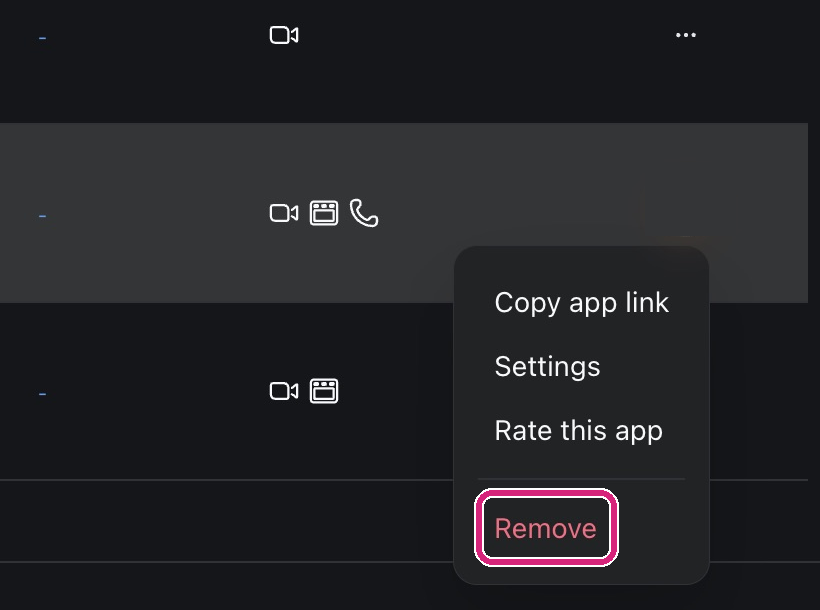 Remove is in the menu at the end of the Lead & Email Collector row.
 Remove is in the menu at the end of the Lead & Email Collector row.
What happens to your lists
Removing the app doesn't delete the lists you've collected. They stay on your Lead & Email Records page at blueskyapps.org/leads until you delete them: see Where to find and email your list after a Zoom meeting. To delete your account and everything in it, see Delete your BlueSky Apps account.
If you have a paid plan
Removing Lead & Email Collector from Zoom doesn't cancel a paid plan. Cancel, pause or get a refund on a BlueSky Apps plan shows how to do that.