
How can I refresh Epic Reactions App?
To get started, install the Epic Reactions app and open any Zoom meeting. Once you're in the meeting, open Epic Reactions from the Zoom Apps toolbar.
On the apps sidebar in the Zoom client, you'll see a three-dot button next to the name of the app. Click that and then select "refresh app."
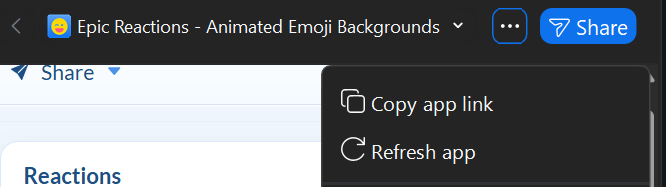
Refreshing the app can help if Epic Reactions isn't responding as expected or if you're experiencing an issue with the app.